
By default, you do not have any email accounts. If you need to use the email service, you will need to add it as an email account.
The process of setting up is also simple.
- Login cPanel
- Select Email Account in Email

- Click the + Create button on the right side

- Enter the required details here to create a new email account
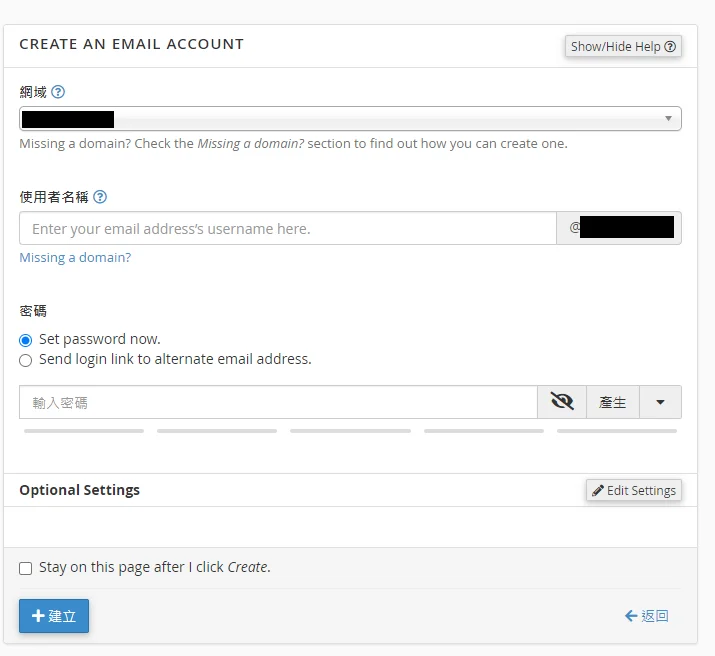
- Domain: Select the domain name where you want to create a new email account.
- Username: Enter the username for your email.
- Password: Enter your email password. - Finally, click +Create to finish